Settings
Before using enrolment-based marking, you’ll need to configure it at both the site and assessment event levels. This setup ensures that learner submissions are automatically directed into the enrolment-based marking process, streamlining workflow and removing the need for manual project assignment.
Enable enrolment-based marking
You’ll need to enable enrolment based marking. This is a one-off configuration per site.
Navigate to Marking > Marking Extended Settings.
In the Marking Project Settings section, select Enable Enrolment Based Marking.
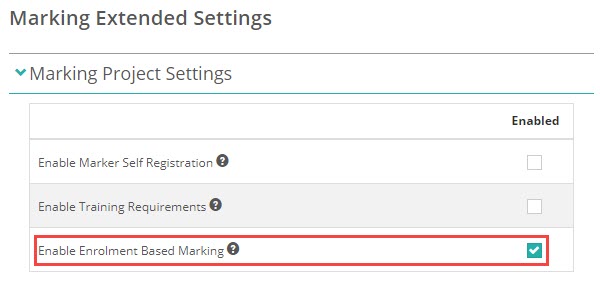
Scroll down and Save.
Assessment event setting
When creating the assessment event, expand the Test Player & Delivery Options section and check the option to Use Enrolment Based Marking in the Test Delivery/Replay Settings sub-section.
This ensures that all scripts submitted in this event will flow straight into the enrolment-based marking process as soon as they’re completed.
