Project Settings expandable
The Project Settings section of the marking project provides the opportunity to set various miscellaneous settings and activities including:
- Marking sessions schedule
- Grace periods
- Marking and annotation settings
Marking sessions schedule
By default, markers can mark at any time. You can schedule marking if required.
Select the pencil  icon.
icon.
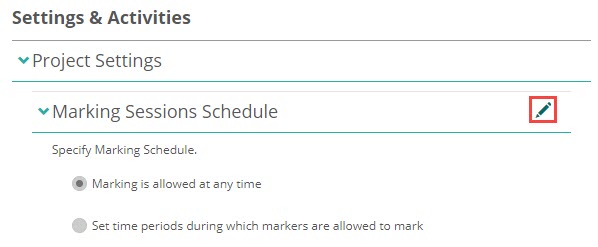
- Select Set time periods during which markers are allowed to mark.
- Select a Start and End time.
- Select the Days of the Week.
- Select Add.
Repeat steps 2 to 4 if you require more than one schedule. - Select Save.

Grace periods
Grace periods allow markers to modify the score after saving. This gives the marker a chance to make changes before completing the marking for that script.
Select the pencil icon.

- Select Use grace periods, and lock scores only after a grace period has expired.
- Enter the number of minutes the marker has to change their score.
- Select Save.
