Stimuli
Item authors can use a stimulus to add material or information to a test item, to provide relevant information or context for the test-taker. It can be any form of content, such as a passage of text, a graph, a diagram, an image, an audio clip, or a video segment.
While it is possible to add the same forms of content and resources to the stem of an item, there are benefits to using a stimulus:
- You can reuse a single stimulus across multiple items in the same module.
- You can optimise the design and layout of the item by utilising the blank space at the side of the item. This potentially reduces the scrolling required by the test-taker.
- Test-takers can maximise and minimise the stimulus, a particularly valuable feature when the content is long or large. See the arrow
 in the screen capture below.
 - Authors can add multiple tabs to the stimulus to make good use of the space and again reduce the need for test-takers to scroll. In the below example, there are three tabs.

Create a new stimulus
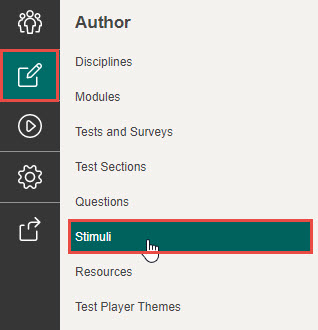
Stimulus are created and managed by selecting Author in the Menu, then selecting Stimuli.
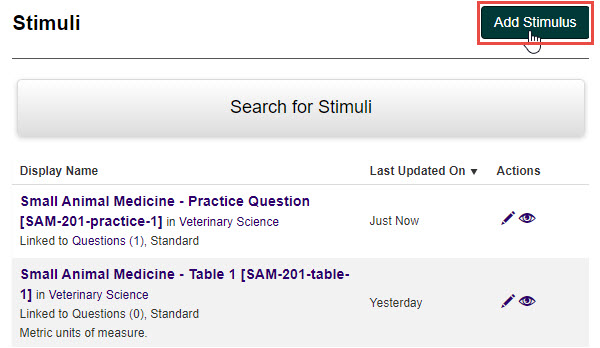
To create a new stimulus:
- Select Add Stimulus.
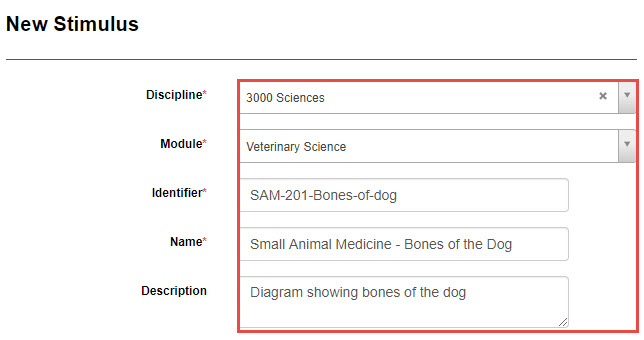
Complete the following:
- Select the discipline from the Discipline drop-down field, then select the module from the Module drop-down field.
- Enter an identifier in the Identifier field.
- Enter a name for the new stimulus in the Name field.
- Add a description (optional) in the Description field.
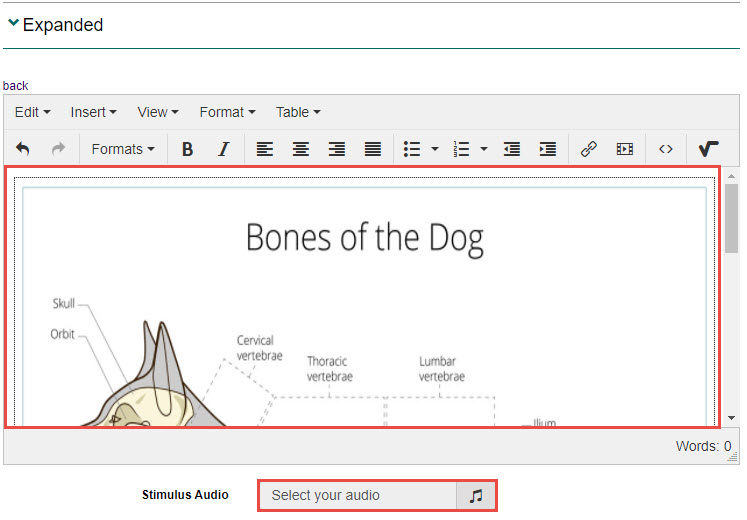
- Select the Expanded expandable section, then select Free HTML.

- Enter content such as text and media, then add any audio elements by selecting the Stimulus Audio field (optional).
- Select the Preview expandable section.This section relates to how the content will display when a stimulus is minimised. For example, the stimulus may be a large image which when minimised displays a smaller image. This will be impacted by the Stimulus/Item Ratio which you can set on the item.
Choose one of the following options:
- Select the Same as expanded stimulus checkbox to keep the same stimulus when minimised
- Select Free HTML to add different content to the minimised stimulus (this is the same as step 4 above)

- Select Save Stimulus to save.
When you save the stimulus, it’s displayed with the details you have entered.
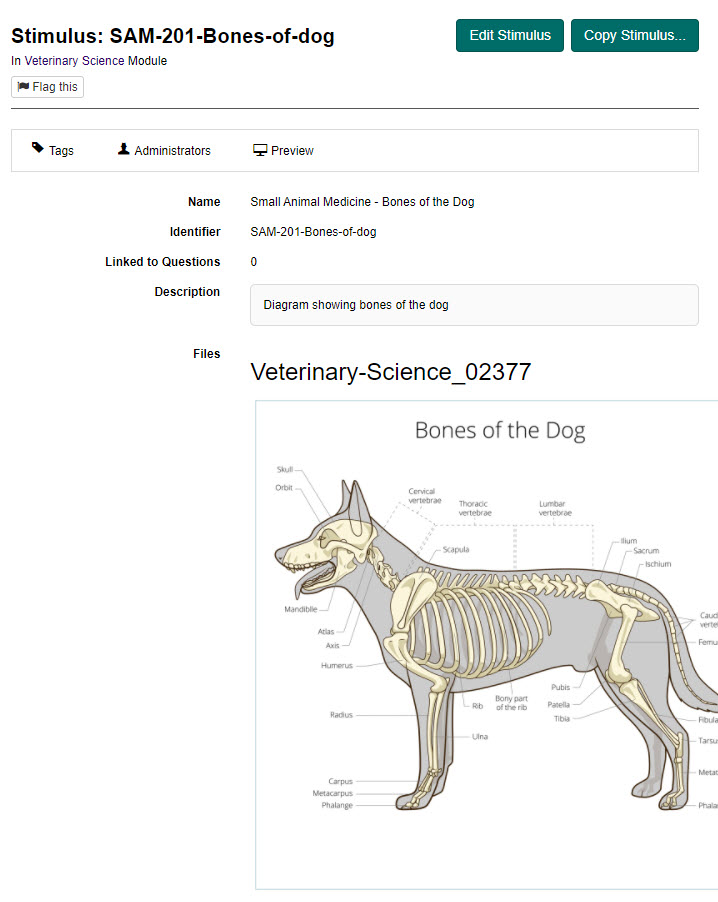
Add a stimulus to an item
You can add a single stimulus or multiple stimulus to an item. If you add multiple stimuli, each one will display in a tab as highlighted below.
To add the stimulus to an item:
- Open an existing item.

- Select the Edit icon next the to Stimuli expandable section.

Complete the following:
- Select the Stimulus/Item Ratio (optional) to set a percentage of horizontal space the stimulus takes up when in the minimised and expanded states.
- Select the Add an existing Stimulus drop-down box to select your stimulus, then click the + icon to add it to the item. Repeat for all the stimuli you wish to add. As you add them, they will display below.
- Enter a caption (optional) to display on the tab. If you don’t enter a caption, the system will use the stimulus name.
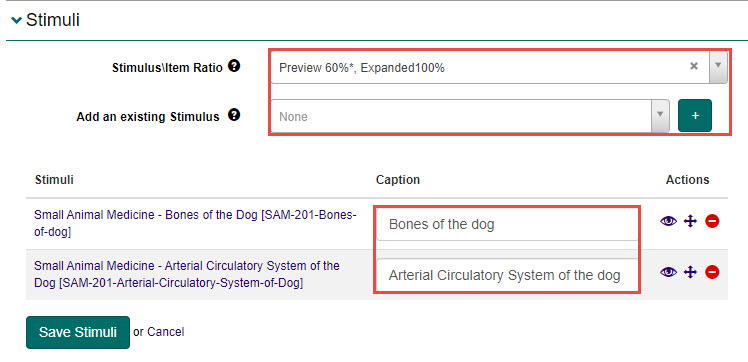
- Select the Save Stimuli button to save.