Auto-Finalise Test Sessions
Auto-finalisation sets an expiry time on test sessions. When the set time is reached, the session is automatically finalised—but only if no active attempts are in progress.
To enable auto-finalisation:
- Open Settings > Assessment Event Settings > Event Settings.
- Tick Enable test session scheduled finalisation.
- Enter the duration (in minutes).

Note: This setting applies globally. You cannot customise it for individual assessment events or sessions.
How It Works
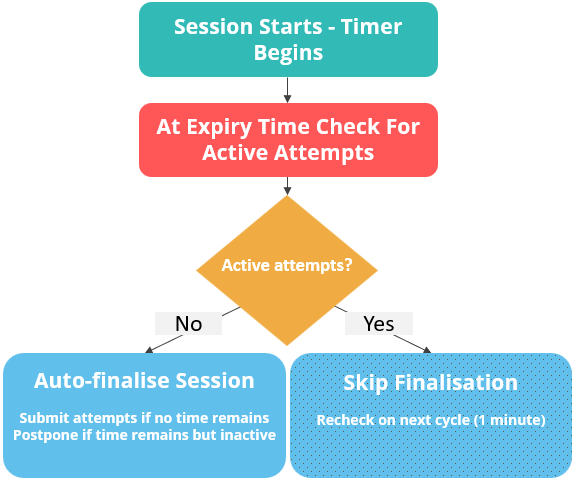
- The timer starts when the test session begins.
- A session is auto-finalised when the set time is reached and no active attempts exist.
What counts as an active attempt:
- With heartbeats enabled: recent heartbeat timestamps.
- Without heartbeats enabled: recent answer updates.
- Controlled by the Auto save interval in Settings > Test Designer Settings > Test Authoring Settings > Auto save interval.
An attempt is considered active if it has shown activity in the last 5 minutes.
When a session is finalised:
- Open attempts are submitted if no time remains.
- Open attempts are postponed if time remains but the attempt is inactive.
If any attempts are still active, the session is skipped and reconsidered at the next check.
Processing Frequency
The auto-finalisation check runs approximately once per minute.
Quick Example
If you set the duration to 120 minutes, the session will be finalised exactly 2 hours after it starts—but only if all attempts have been inactive for at least 5 minutes. If any attempts are active at that point, the system will wait and recheck after one minute.
See flowchart below for process summary.