Responses screen
Chief Markers and Administrators can view all candidate responses and scores in the context of a marking project which includes all scripts and scores. This can be done from the Responses screen.
To access this:
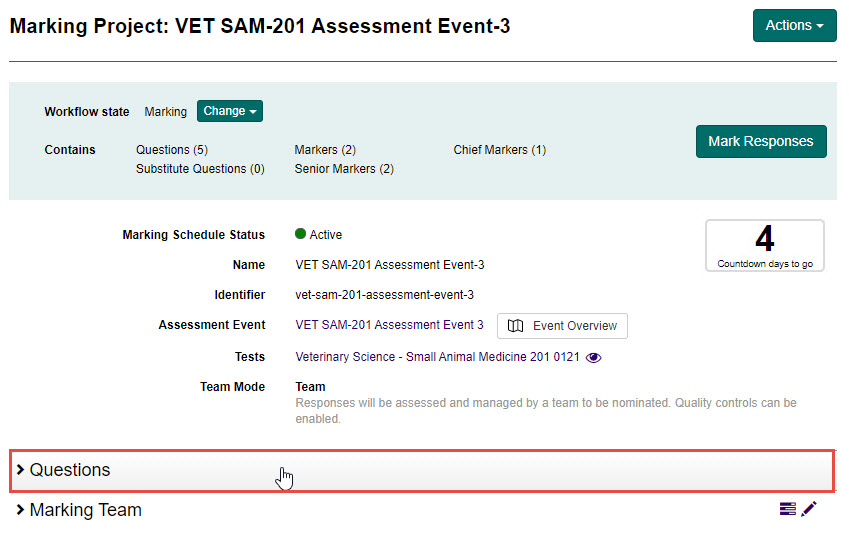
- From the Marking Project screen, select the Questions expandable section.
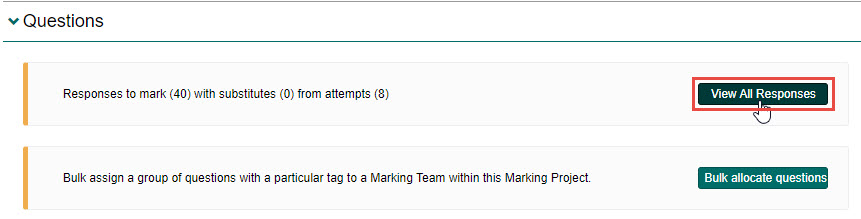
- Select the View all Responses button.
The Responses screen is displayed.
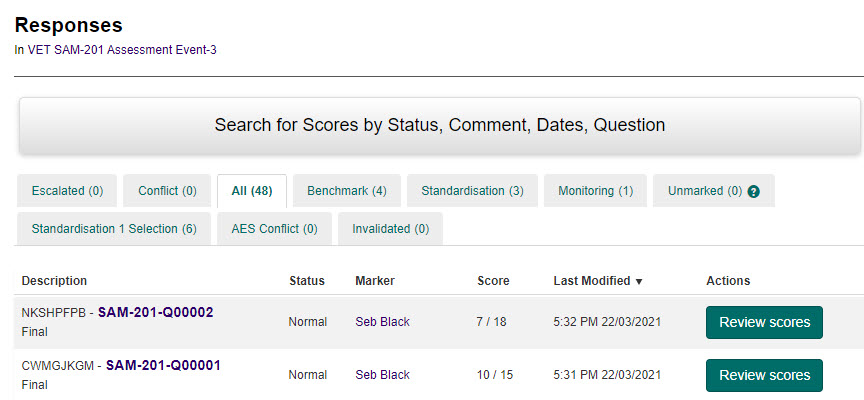
To review scoring and annotation for a particular script, select the Review scores button next to any script.

This will open the Marking screen for a particular attempt.
Tip
To learn more about the Marking screen, see the Marking screen section.