Standardisation 3 (S3)
Standardisation 3 (S3) is designed to provide training for Markers. S3 uses standardisation scores created during S1. This process is optional.
Before Markers can commence the main marking activity, they will be required to score a certain number of candidate responses. The system will automatically check if the Marker’s scores align closely enough to the standardisation scores to allow them to proceed to the marking phase.
Tip
To learn more about the Marker experience of S3, see the Undertake marking training (S3) section.
The S3 functions are designed to mimic the main marking phase tools and processes.
Configure S3
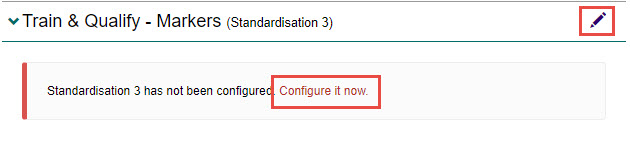
- Select the Configure it now link, or select the Edit icon next to the Train & Qualify – Senior Markers (Standardisation 2) expandable section.
Complete the following:
- Select the Use the Standardisation 3 Phase (markers mark standardisation scripts in Standardisation 3 phase) option.
- Select the Use the same settings as Standardisation 2 (optional) option to apply the settings from S2. If selected, you will not need to apply any new settings.
- Select the Use controlled distribution of Standardised scripts for Standardisation 3 Marking (optional). This setting allows the Chief Markers to control which scripts will be available for S3 marking. If this is not checked, then all the scripts categorised as ‘Standardisation’ during S1 categorisation will be available for S3 marking.

For each question, complete the following:
- Enter a number in the RMS Tolerance field. RMS value is the root mean square tolerance allowed – this is an objective measure of the average deviation from the correct score provided by the Chief and Senior Markers.
- Enter the number of candidate responses the Marker is required to score during the S3 phase in the Number of responses field. This should be equal to or lower than the total number of standardisation script scores defined in S1.
- Enter a number in the Absolute Tolerance fields for both above (+) and below (-) the correct score.
Tip
The values entered here will automatically populate across the grid, but you can change them if required.

- Select the Save button to save the changes.
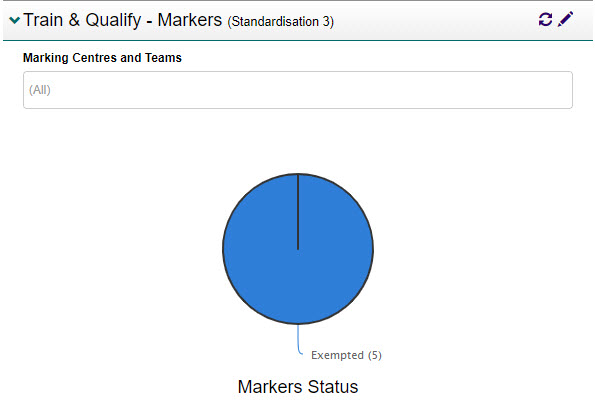
A graph displays enabling you to monitor the progress of S3 by marking centre or marking team.
Transition marking project to S3
Once S2 has been completed, you will need to transition the marking project to S3. This will enable the Markers to commence their training.
To do this:
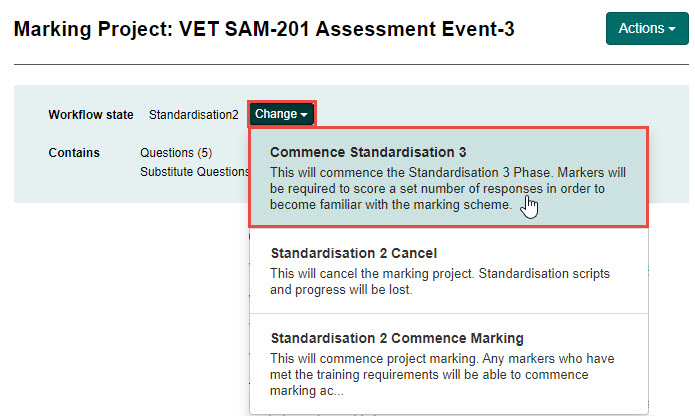
- Select the Change button and select Commence Standardisation 3.
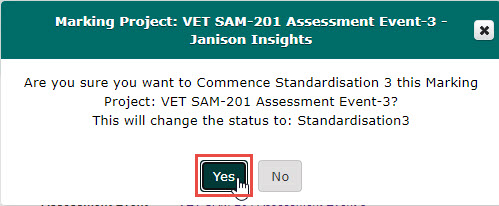
- Select the Yes button.