Other Learning
Introduction
As with most learning asset types there are two methods to adding this asset type:- via Manage Learning > Manage Learning Assets > New Other Learning
- via Manage Learning > Add Learning wizard
Adding Other Learning via Manage Learning Assets
- Select Manage Learning > Manage Learning Assets > Add Learning Asset
- Select New Other Learning
-
Complete the form as required:
- Enter a Name
- Identifier is auto populated from the name
- Select or Quick Add a Learning Type
- Select a print template (if applicable)
- Include Description and Instructions
- Complete Verification Settings section
- Complete Submit Button Options section
- Complete General Settings section
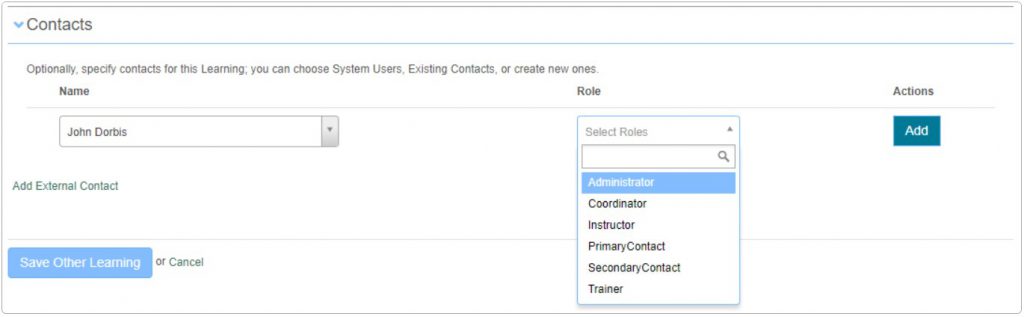
- Complete Contacts section
- Click Save Other Learning
Adding Other Learning via Add Learning Wizard
- Navigate to Manage Learning > Add Learning. Step 1 – Learning Type
- Select Other Learning.
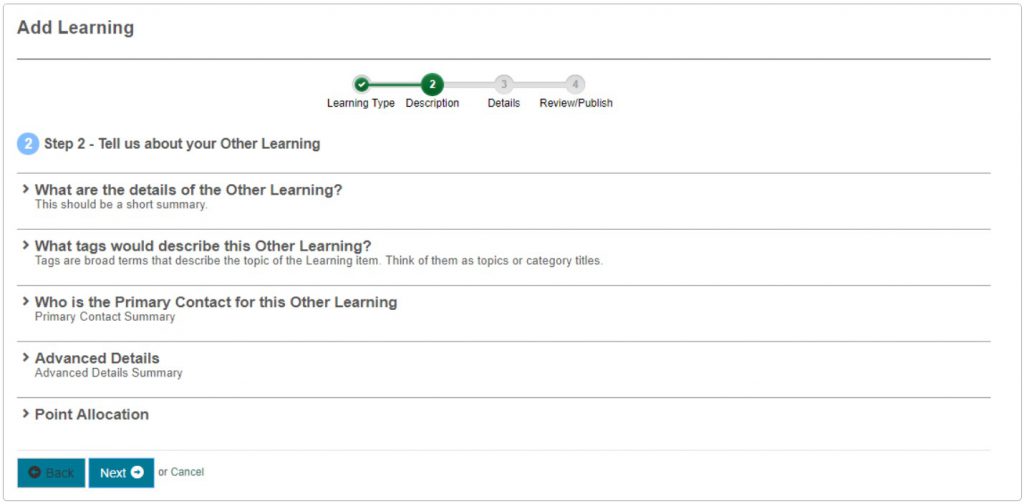
- Select Next. Step 2 – Tell us about your Other Learning.
-
Complete the required sections
- What are the details of the Other Learning?
- What tags would describe this Other Learning?
- Who is the Primary Contact for this Other Learning
- Advanced Details
- Point Allocation
-
Select Next
Step 3 – Details – What are your Other Learning details?
- Type
- Description and instructions
- Verification Settings
- Submit Button Settings
- General Settings
- Contacts
-
Select Next
Step 4 – Success
- Change the status as required
- Select Finish.
 You will be directed to the newly created catalogue item with the Other Learning linked.
Other Learning Form sections in detail
Verification Settings
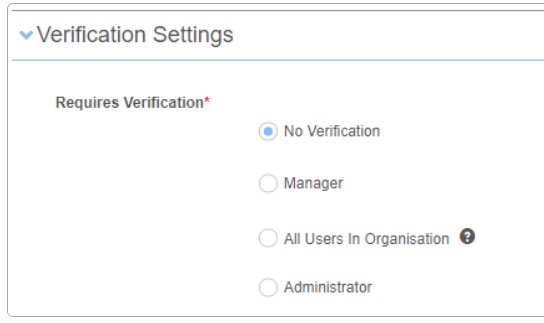
This section allows administrators to configure how the Other Learning type is verified.
| Option | Description |
| No Verification | When selected the user will not have to seek verification of the learning |
| Manager |
When selected three other options are presented:
|
| All users in Organisation |
When selected any user in the organisation could verify this learning.
Requires the ‘Can approve any other learning’ permission on the ‘Basic User’ role.
Note: When this option is enabled it will present a Stage 2 verification process with the following options:
|
| Administrator |
When selected any administrator in the organisation could verify this learning.
Note: When this option is enabled it will present a Stage 2 verification process with the following options:
|
Submit button options
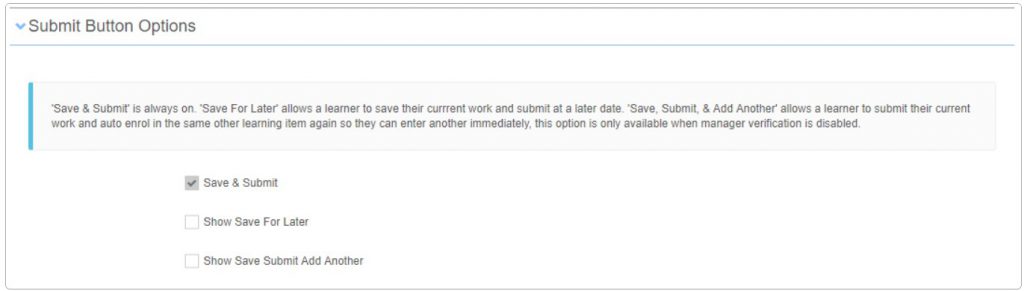
When a learner uploads there evidence they have to finalise and submit their learning. There are three available options:
| Option | Description |
| Save and Submit | This field is always enabled and cannot be disabled. |
| Show ‘Save for Later’ | ‘Save For Later’ allows a learner to save their current work and submit at a later date. |
| Show ‘Save Submit Add Another’ | ‘Save, Submit, & Add Another’ allows a learner to submit their current work and auto enrol in the same other learning item again so they can enter another immediately, this option is only available when manager verification is disabled. |
General Settings
This section allows administrators to configure the type of other learning required e.g. certificate, licence, qualification etc.
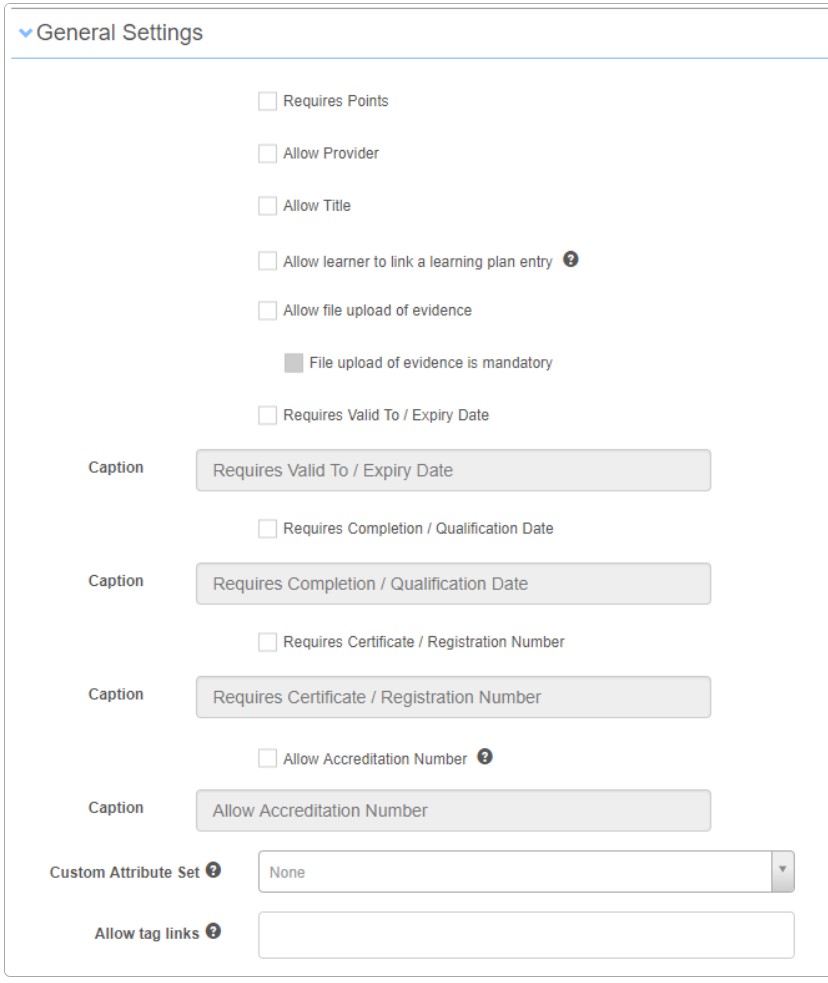
| Option | Description |
| Requires Points | When selected will present a tag selector to add required tags. Note: If you do not want learners to be presented with all tags within the designated points tag type, choose which tags within the tag type you would like to present to the learner. |
| Allow Provider | When selected will allow learner to include a provider for the learning undertaken. |
| Allow Title | When selected will allow learner to include a title for the learning undertaken. |
| Allow learner to link a learning plan entry | When selected allows learners to log activities completed in support of a learning plan. |
| Allow file upload of evidence | When selected it will allow learners to upload files as evidence of the learning e.g. a certificate There is also an option to make the file upload mandatory. |
| Requires Valid to / Expiry Date | When selected will present learner with options to include both a valid to date and expiry date of the learning. |
| Requires Completion / Qualification Date | When selected will present learner with options to include a completion date and or qualification date. |
| Requires Certificate / Registration Number | When selected will present learner with options to include a certificate (file upload) and also a registration number. |
| Allow Accreditation Number | When selected will present learner with option to include an accreditation number. Note: This is not the same as a certificate number. |
| Custom Attribute Set | When selected additional questions or fields can be included in the Other Learning submission form. Please refer to the topic on custom attributes for more information. |
| Allow tag links | When selected this option will allow learners to link tags which they believe relate to their submission. The available tag for learner selection is driven from the tag type(s) selected. If no tag types are selected then the learner will not see the tag selection option. |
Contacts
This section allows administrators to optionally specify contacts for this Learning; you can choose System Users, Existing Contacts, or create new ones via Add external contact link.