QuickAdd User
QuickAdd is a plugin for quickly adding new users to Janison Insights using a limited set of fields:
- Username
- Password
- User details
Customise QuickAdd
If the plugin is enabled, you can customise its behaviour under Settings > QuickAdd User Settings.
Username
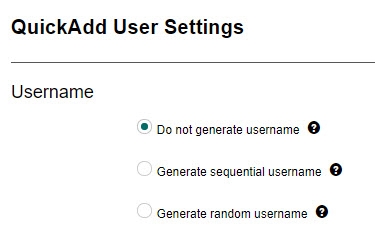
Three options determine how usernames are created when using QuickAdd:
| Option | Description |
|---|---|
| Do not generate username | The username is not generated automatically — the person creating the new user specifies a unique username. |
| Generate sequential username | Generates a sequential username from a prefix concatenated with the next number in a sequence. Selecting this option displays an additional field for the prefix.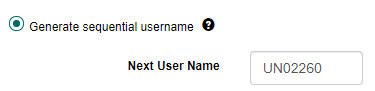 |
| Generate random username | Generates a random username with an optional prefix (which helps identify usernames created this way). Consonant letters are used, and usernames are not case sensitive. Selecting this option displays two additional fields: the prefix and the length of the random component.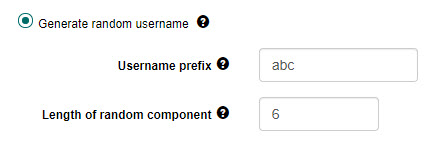 |
Password
This section relates closely to password settings, where password requirements are configured.
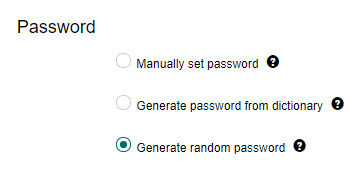
Three options determine how passwords are created when using QuickAdd:
| Option | Description |
|---|---|
| Manually set password | The user sets a password that complies with the password complexity requirements. |
| Generate password from dictionary | Generates a password from the dictionary specified in password settings. Only available if the generate-from-dictionary setting is enabled there. |
| Generate random password | Generates a random password that meets the complexity requirements specified for manually set passwords. |
User details
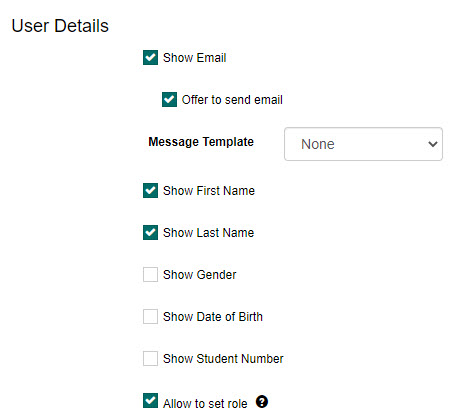
Select which fields are visible on the QuickAdd form when creating a new user:
- Email address
- First name
- Last name
- Gender
- Date of birth
- Student number
- Main system role
You can also select an email to be sent to users on creation.